Appearance
Global State
Vue 3's recommended solution for global state management is Pinia, the successor to Vuex. It provides a convenient way to update and access shared global state throughout your application.
Design Philosophy
When creating a store, follow the Flow principles shown in the diagram below:
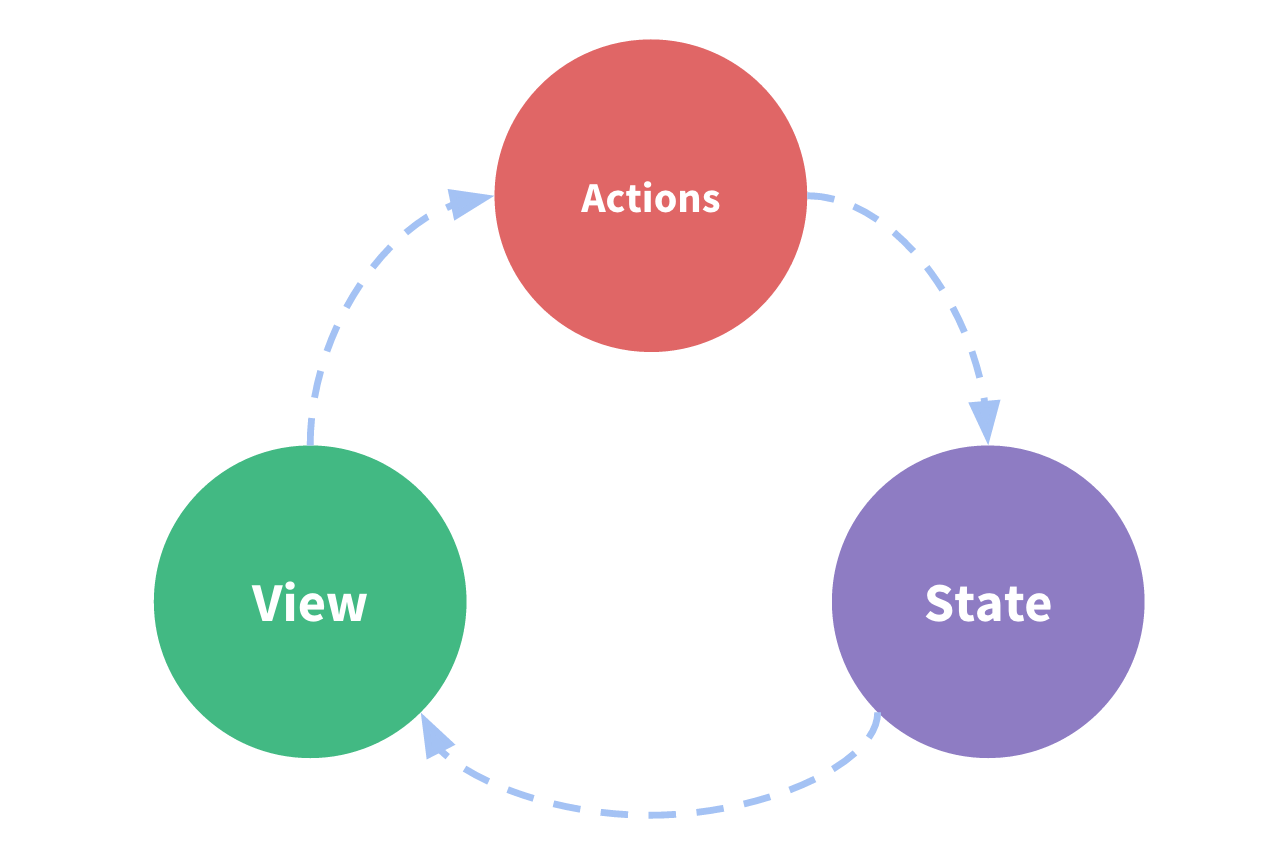
Based on the Redux documentation, Pinia store implements Redux's core concept of "one-way data flow" through three main components:
store: Contains the store's state. As a private property, it must use a leading underscore in its name and cannot be accessed outside the storeaction: Functions that update the store's state, ideally implemented as synchronous functionsgetter: Functions that retrieve store state usingcomputedproperties
Scope of Responsibilities
Pinia stores shared data between pages and UI components, eliminating the need for prop drilling.
To understand how responsibilities are divided between global state and global events, see here.
Store Example
Pinia Store can be written in two ways: Options Store and Setup Store. Let's look at an example using the Setup Store approach:
ts
import { defineStore } from 'pinia';

const useMyStore = defineStore('myStore', () => {
  // store, state
  const _globalState = ref<string>('hello from pinia');

  // actions
  const updateState = (newValue: string) => (_globalState.value = newValue);

  // computed, getter
  const getGlobalState = computed<string>(() => _globalState.value);

  return { getGlobalState, updateState };
});

export default useMyStore;